That time I issued a force delete in the wrong k8s context……. the mgmt cluster context
Background — So I’m hacking away with Tanzu Community Edition and Tanzu Mission Control Starter. Pretty cool that both of these are free —…

That time I issued a force delete in the wrong k8s context……. the mgmt cluster context
Nobody’s Gonna Know…
Anyhow — I deployed a new tkg-ce (community edition) workload cluster into my vSphere environment and it doesn’t quite work out — dunno what went wrong exactly. I just needed to delete it and redeploy.
This is where it get’s interesting 🤔 — while the deployment was going on, I’d switched to a bunch of other contexts, doing heck knows what else…….. and then issued the delete command for the cluster, which didn’t work — followed by delete with a force switch…….. seeing a few of the “wrong” VMs disappearing in vCenter — It was at this moment he knew he effed up……..
The first delete command didn’t work because I was in the mgmt cluster context…… I can’t recall if I didn’t read the error message, of if my dyslexic AF brain just missed a particular line…… anyhow what’s done is done.
They’re Gonna Know……..
Being the mgmt cluster someone’s gonna start missing it……. like ummmm the workload clusters…… How do I get this sucker back quickly and easily…… cause I hadn’t set up PX-Backup aaS…… 😮
Well fortunately enough for me, the tkg-ce mgmt cluster was hosted on a FlashArray backed datastore. I had protection groups set up and applied to the associated volume hosting the datastore, taking regular scheduled snaps.
Even more fortunate for me — I had the Pure Storage Plugin for the vSphere Client installed, allowing me to see what storage based snaps I have on my datastore straight from the vSphere UI.
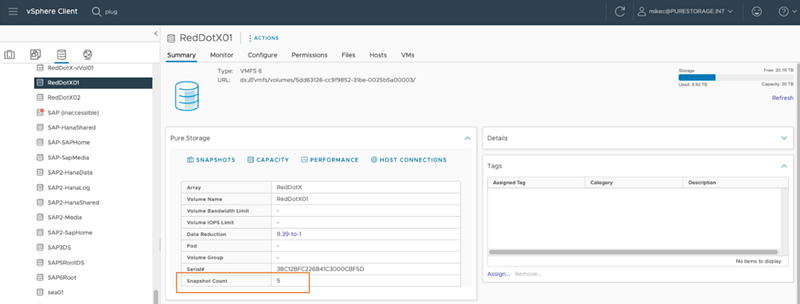 The plugin also allows you to do some other “nifty” things — like finding a snap on your datastore, using that snap to create a VMFS Copy from said snapshot, mounted and resignatured, ready to use — all from the vSphere UI.
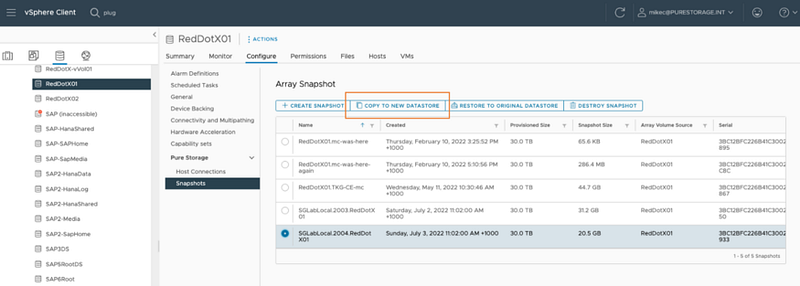 Bear in mind here — this is a copy of a 30TB volume with very little incremental storage overhead. How — due to the powerful data reduction capabilities built into the
 Purity operating system on our FlashArray’s.
How will they know…..
So I’ve got a copy of my original datastore at a point in time when my mgmt cluster existed — I now very quickly register the control-plane and md node VMs.
 Power them on and storage vMotion them back to the original datastore. How will they know…..
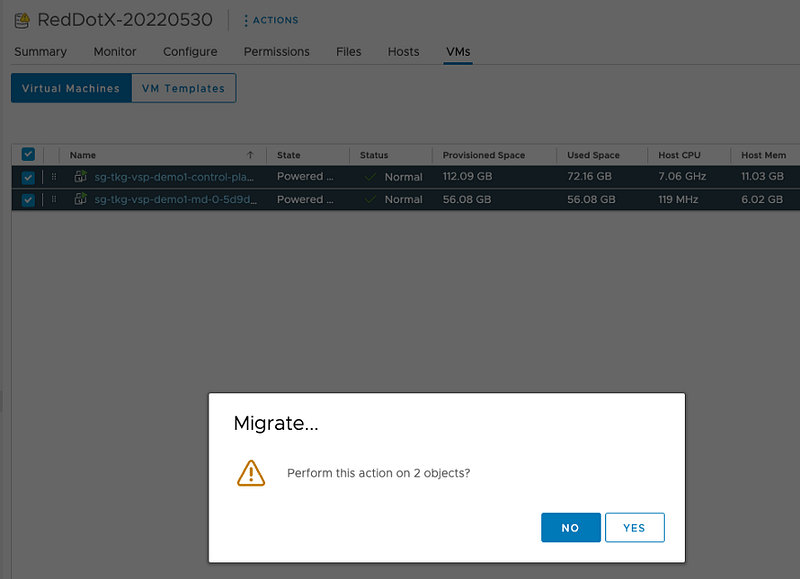
How will they know?
Just cos I have my mgmt cluster back — I shouldn’t stop here— otherwise *they might know. *I need to be a tidy admin and clean up my recovery actions.
Ello Plugin* — what say you. *You’ve got a simplified automated destroy action. This will unmount and delete the datastore from all the hosts, and then delete the volume on the FlashArray. 🍻
 From the FlashArray GUI, the volume has moved to the
 destroyed volumes section.
BTW — It will remain here and is available to be restored for 24 hours . This is the same for every volume deleted on the FlashArray — maybe another Nobody’s Gonna Know…… moment.
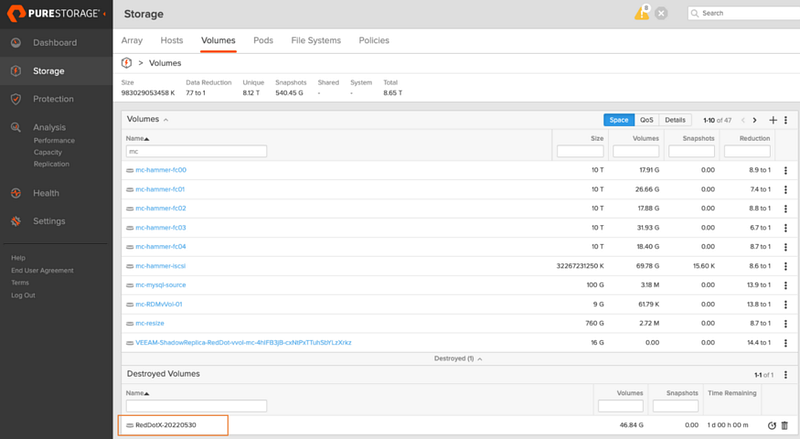 After 24 hours, that it’s, the volume is eradicated — gone gone….. They’re Gonna Know……..
Thanks FlashArray and *Pure Plugin — *you saved my bacon! I had the mgmt cluster recovered and running within 5 minutes.
By Mike Carpendale on July 3, 2022.Canonical linkExported from Medium on February 19, 2026.